
Skip to content
Help Center
  • QuaverEd.com
  • FAQs
  • Site Status
  • Contact Us
Help Center
  • QuaverEd.com
  • FAQs
  • Site Status
  • Contact Us

Help Center

Getting Started

  • Getting Started with QuaverMusic
  • QuaverMusic Dashboard
  • Dashboard Icons
  • Resource Manager
  • Substitute Teacher Access

Lessons

  • Quaver Curriculum
  • Creating & Customizing Lessons
  • Song-Based Lessons
  • Quaver Essentials

Admin Tools

  • Admin Tools Overview
  • Students and Classes
  • Attendance
  • Creating & Distributing Assignments
  • GradeBook
  • Student Rewards

Creating Resources

  • Resource Creation Overview
  • Screen Studio
  • Melody Composer
  • Quiz Builder
  • Quiz Challenge
  • Audio Upload
  • Rubric Builder
  • Checklist Builder
  • Teacher Recording
  • Student Recording

Supplemental Resources

  • QuaverMusic Toolboxes
  • ClassPlay
  • Quaver Choral Resources
  • Bach’s Brain
  • Making Music Worldwide
  • QuaverMusicals
  • Quaver Contests
  • QuaverStreet Overview
  • Quaver Street: Avatar Customization
  • Quaver Street: Music Room
  • Quaver Street: Music Store
  • Quaver Street: Metro

Creatives

  • QBackBeat
  • QComposer
  • QGrooves
  • QSoundFX
  • QComposer Plus
  • QGrooves Plus
  • SongBrush
  • QStrum
  • QSynth

Technical Support

  • Tips for Troubleshooting
  • System and Device Requirements
  • Network and Whitelisting Instructions
  • Browser Settings and Permissions

Insight Assessment

  • Getting Started with Insight Assessment
  • Taking and Assigning Assessments
  • How Assessment Scores Work
  • Insight Assessment FAQs

Music Integration

  • QuaverMusic Integration Dashboard
  • Music Integration Lessons

Single Sign-on

  • ClassLink and QuaverEd
  • Clever and QuaverEd
  • Google and QuaverEd
  • Schoology and QuaverEd
  • Canvas and QuaverEd
  • Single Sign-On Other

Accessibility

  • Accessibility
  • Features and Enhancements
  • Accessibility FAQ
  • Home
  • Home
  • QuaverMusic
  • Video Link

Video Link

Quaver teachers can add a YouTube or Vimeo link to any lesson or assignment.
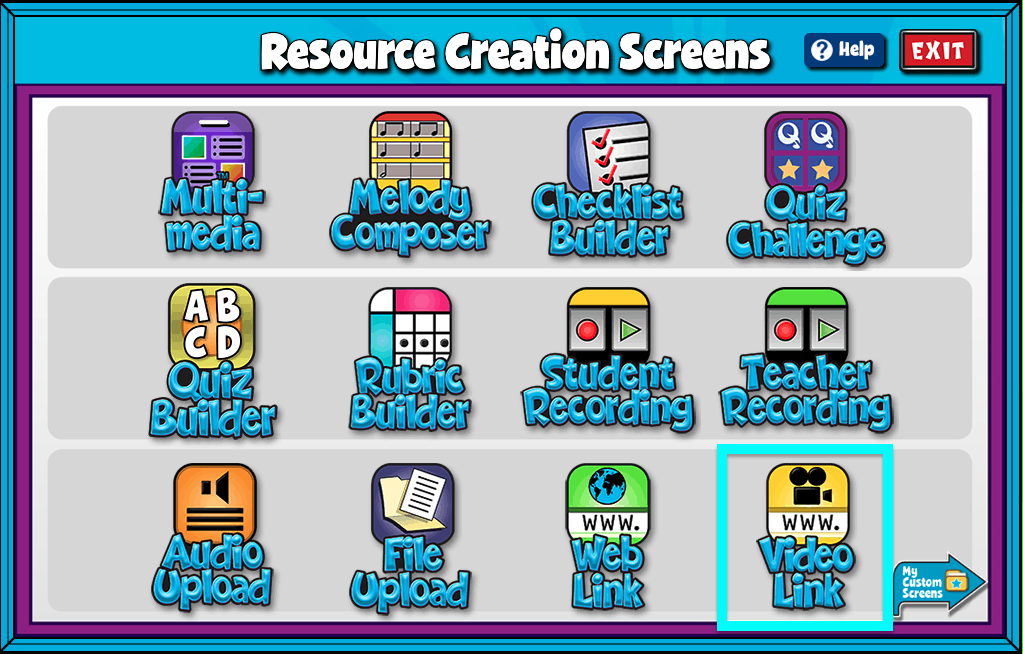

A screenshot of the Resource Creation Screens page, with the Video Link icon highlighted.

Video Link Features #

  • Give your screen a title by clicking in the “Title” text box.
  • Add a full URL from YouTube or Vimeo.
  • Add/Edit Notes: Using the add/edit notes icon, you can add custom notes to any video link screen.

Uploaded videos must be an MP4 or .mov file and under 300MB and 5 minutes in length.
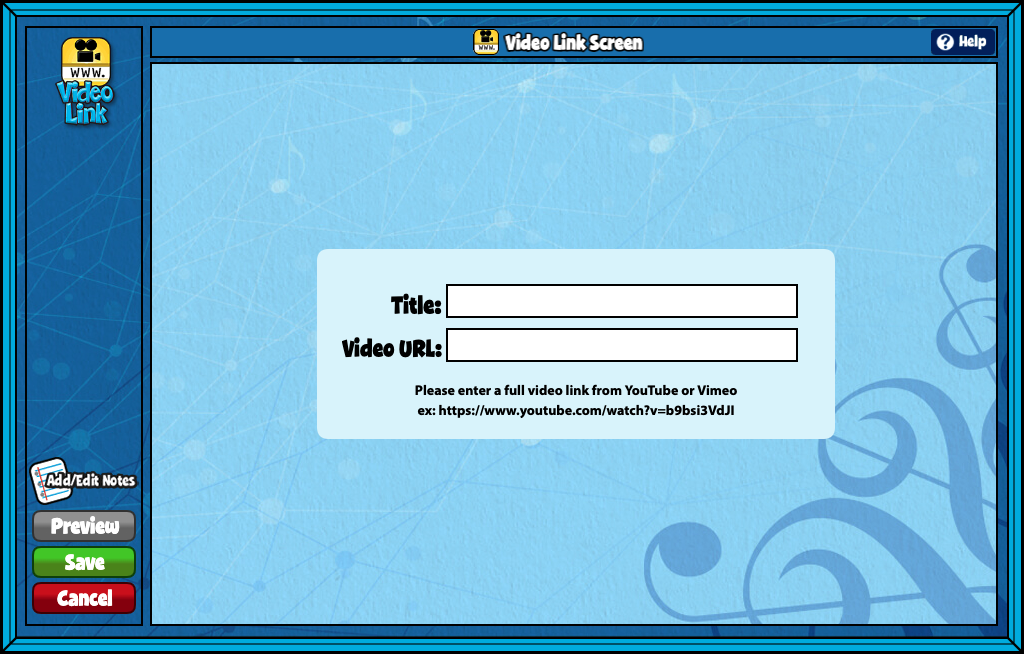

A screenshot of the Video Link Screen, as described in this section.

Did you find this article helpful?
Need more information? Reach out to us.

How can we help?

6 thoughts on “Video Link”

  1. Joanie Catron
    September 12, 2023 at 6:23 pm

    Is there a way to disable the “Watch on YouTube” pop out link at the bottom left of the video??

    Reply
    1. Van O (Product Support Manager)
      September 12, 2023 at 7:44 pm

      Hi Joanie,

      Unfortunately, the “Watch on YouTube” pop-up link at the bottom left of the video can’t be disabled. However, we are working to minimize any YouTube branding or logos within our content.

      As a potential workaround, you can add “?controls=0” to the end of your YouTube URL. Adding that text removes only the “Watch on YouTube” pop-up. But note that it doesn’t eliminate all elements like the share, watch later, and YouTube logo on the right side.

      I hope this helps!

      Reply
  2. Elisabeth Ann Smith
    October 20, 2023 at 1:32 pm

    I created a folder with a video link screen but when my students try and open the assignment, it says it’s empty?

    Reply
  3. Stacie
    October 31, 2023 at 6:00 pm

    I have a student teacher who created some video link resources. Is there a way for him to share them with me? Or do I need to create the resource using the same links?

    Reply
  4. Meg
    August 23, 2026 at 1:26 am

    Hello,
    Has the option to embed videos in Quaver lessons been removed? When I tried to create a custom screen to embed a YouTube video, the button to embed a video link was missing.
    Thank you!

    Reply
    1. Ryne Walker
      August 25, 2026 at 2:20 pm

      Hi Meg,

      For many of our users, resource creation has been updated to include Screen Studio. Screen studio is a multi-media screen building app, which includes the ability to add a video link. Take a look at this help page for it! If you still need help, please reach out to our customer service team in whatever way you prefer, that way they can help you directly. Thank you so much, Meg!

      Reply

Leave a Reply Cancel reply

Your email address will not be published. Required fields are marked *

Table of Contents
  • Video Link Features
  • QuaverEd.com
  • FAQs
  • Site Status
  • Contact Us
×

We're Here to Help!

We apologize if this page didn't meet your needs. Please provide more details:

Still need help? Contact Us

Copyright © 2026 QuaverEd, Inc.