
Skip to content
Help Center
  • QuaverEd.com
  • FAQs
  • Site Status
  • Contact Us
Help Center
  • QuaverEd.com
  • FAQs
  • Site Status
  • Contact Us

Help Center

Getting Started

  • Getting Started with QuaverMusic
  • QuaverMusic Dashboard
  • Dashboard Icons
  • Resource Manager
  • Substitute Teacher Access

Lessons

  • Quaver Curriculum
  • Creating & Customizing Lessons
  • Song-Based Lessons
  • Quaver Essentials

Admin Tools

  • Admin Tools Overview
  • Students and Classes
  • Attendance
  • Creating & Distributing Assignments
  • GradeBook
  • Student Rewards

Creating Resources

  • Resource Creation Overview
  • Screen Studio
  • Melody Composer
  • Quiz Builder
  • Quiz Challenge
  • Audio Upload
  • Rubric Builder
  • Checklist Builder
  • Teacher Recording
  • Student Recording

Supplemental Resources

  • QuaverMusic Toolboxes
  • ClassPlay
  • Quaver Choral Resources
  • Bach’s Brain
  • Making Music Worldwide
  • QuaverMusicals
  • Quaver Contests
  • QuaverStreet Overview
  • Quaver Street: Avatar Customization
  • Quaver Street: Music Room
  • Quaver Street: Music Store
  • Quaver Street: Metro

Creatives

  • QBackBeat
  • QComposer
  • QGrooves
  • QSoundFX
  • QComposer Plus
  • QGrooves Plus
  • SongBrush
  • QStrum
  • QSynth

Technical Support

  • Tips for Troubleshooting
  • System and Device Requirements
  • Network and Whitelisting Instructions
  • Browser Settings and Permissions

Insight Assessment

  • Getting Started with Insight Assessment
  • Taking and Assigning Assessments
  • How Assessment Scores Work
  • Insight Assessment FAQs

Music Integration

  • QuaverMusic Integration Dashboard
  • Music Integration Lessons

Single Sign-on

  • ClassLink and QuaverEd
  • Clever and QuaverEd
  • Google and QuaverEd
  • Schoology and QuaverEd
  • Canvas and QuaverEd
  • Single Sign-On Other

Accessibility

  • Accessibility
  • Features and Enhancements
  • Accessibility FAQ
  • Home
  • Home
  • QuaverMusic
  • Lessons
  • Song-Based Lessons

Song-Based Lessons

Overview #

Song-Based Lessons are pre-made lessons inspired by different methodologies: Kodály, Music Learning Theory, Orff, and thematic lessons. 

From the Dashboard, click on “Song-Based Lessons” located in the bottom section of your Dashboard.


A screenshot of the QuaverMusic Teacher Dashboard, with the Song-Based Lessons icon circled.

Lessons Selection Menu #

You are now in the Song-Based Lessons Selection Menu. Select the specific grade level under the “Lesson Selection Menu” title to locate lessons. Each grade level pairs songs with a corresponding methodology to help teach musical concepts. Each lesson uses one song to focus on while teaching the objective with engaging interactive screens. These are great lessons to use on their own or as an addition to curriculum and customized lessons.  
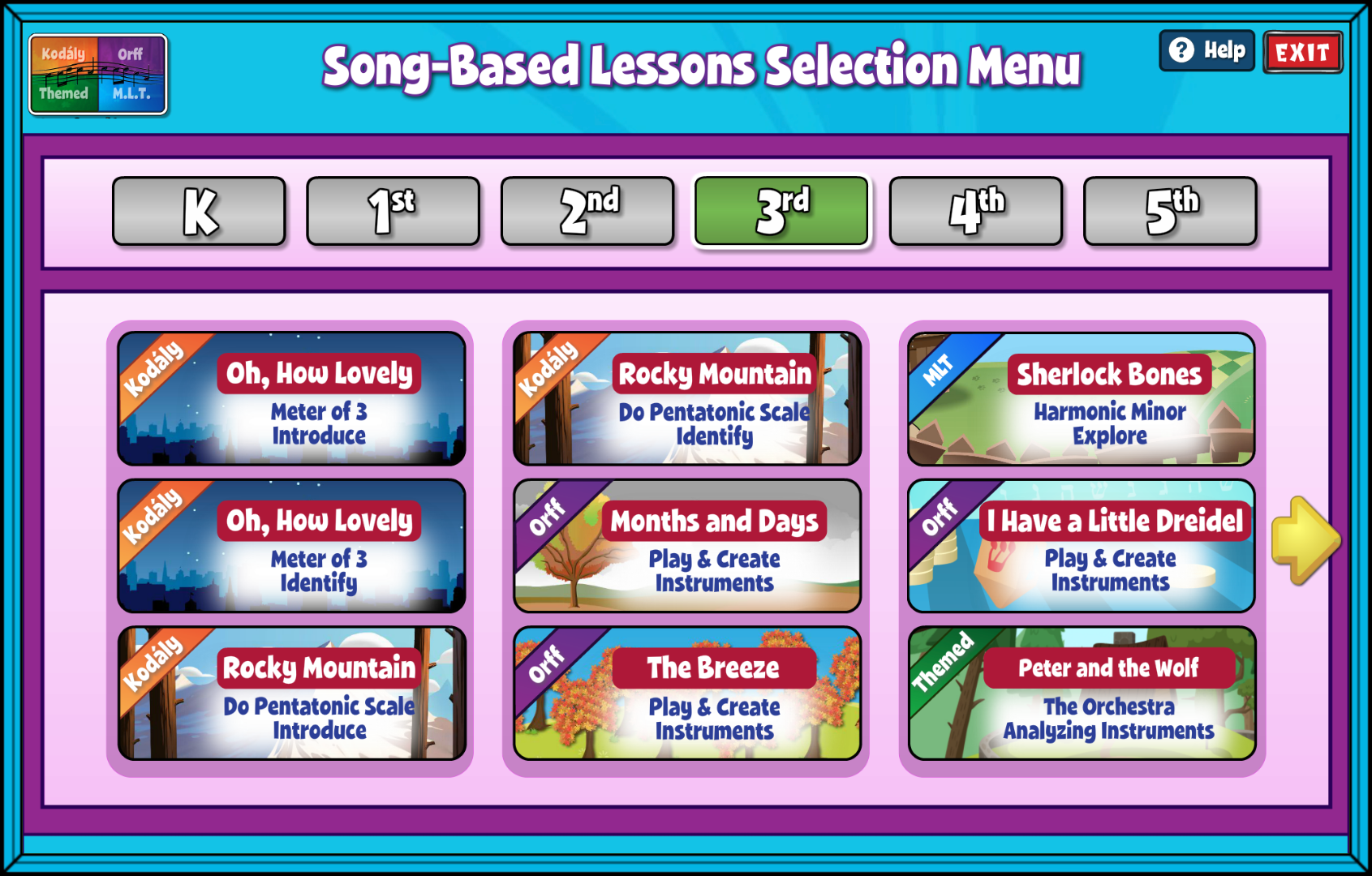

A screenshot of the Song-Based Lessons Selection Menu.

Song-Based Lesson Offerings #

Kodály lessons are broken up into two sections: Introduce and Identify. 

Orff lessons allow students to create music by playing instruments, and in some instances explore a specific key. Check out the great Orff arrangements that accompany each song along with the interactive screens that help you teach the instrument parts.

Music Learning Theory, or MLT lessons allow for exploration of audiation.

Songs with a thematic lesson explore a variety of concepts, such as analyzing instruments, creating and performing accompaniments, and learning about culture and history.

Did you find this article helpful?
Need more information? Reach out to us.

How can we help?

Leave a Reply Cancel reply

Your email address will not be published. Required fields are marked *

Table of Contents
  • Overview
  • Lessons Selection Menu
  • Song-Based Lesson Offerings
  • QuaverEd.com
  • FAQs
  • Site Status
  • Contact Us
×

We're Here to Help!

We apologize if this page didn't meet your needs. Please provide more details:

Still need help? Contact Us

Copyright © 2026 QuaverEd, Inc.