Skip to content
Help Center
  • QuaverEd.com
  • FAQs
  • Site Status
  • Contact Us
Help Center
  • QuaverEd.com
  • FAQs
  • Site Status
  • Contact Us

Help Center

District Admin Tools

  • District Admin Dashboard
  • Usage Reports: Overview
  • Usage Reports: Monthly Report Tab
  • Usage Reports: Detailed Report
  • Usage Reports: Curriculum Tracker
  • License Manager
  • Unregistered Licenses

Insight Assessment

  • Getting Started with Insight Assessment
  • Taking and Assigning Assessments
  • How Assessment Scores Work
  • Insight Assessment FAQs

Technical Support

  • Tips for Troubleshooting
  • System and Device Requirements
  • Network and Whitelisting Instructions
  • Browser Settings and Permissions

Accessibility

  • Accessibility
  • Features and Enhancements
  • Accessibility FAQ

Purchasing FAQs

  • Purchasing
  • Home
  • Home
  • Ready Administrators
  • District Admin Tools
  • District Admin Dashboard

District Admin Dashboard

Flag Icon

If you don’t have access to District Admin tools, please get in touch with QuaverEd’s Sales team for setup assistance.

How To Access #

  1. To access the District Admin Tools, click the Admin Tools icon on your Dashboard.
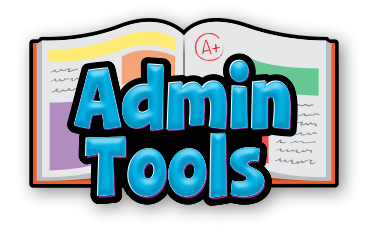
  1. Select the District Admin icon.

District Admin Dashboard #

The District Admin Dashboard is your central hub for accessing all QuaverEd administration tools.

Tool Descriptions #

Unregistered Licenses provides key details about your QuaverEd product licenses, including start and end dates, total seats per license, registered educators, and associated schools. Use this tool to track registration status and manage license availability across your district.
Usage Reports show how often teachers and counselors interact with curriculum resources and provide insight into which specific resources they are viewing. Usage is measured by the total “Resources Launched” daily, weekly, or monthly, allowing you to track educator engagement over time.
The License Manager allows you to transfer, edit, or remove a teacher from a school license. It also provides visibility into the license’s start and end dates, the number of active teachers, and available spots.

Did you find this article helpful?
Need more information? Reach out to us.

How can we help?

Leave a Reply Cancel reply

Your email address will not be published. Required fields are marked *

Table of Contents
  • How To Access
  • District Admin Dashboard
  • Tool Descriptions
  • QuaverEd.com
  • FAQs
  • Site Status
  • Contact Us
×

We're Here to Help!

We apologize if this page didn't meet your needs. Please provide more details:

Still need help? Contact Us

Copyright © 2026 QuaverEd, Inc.