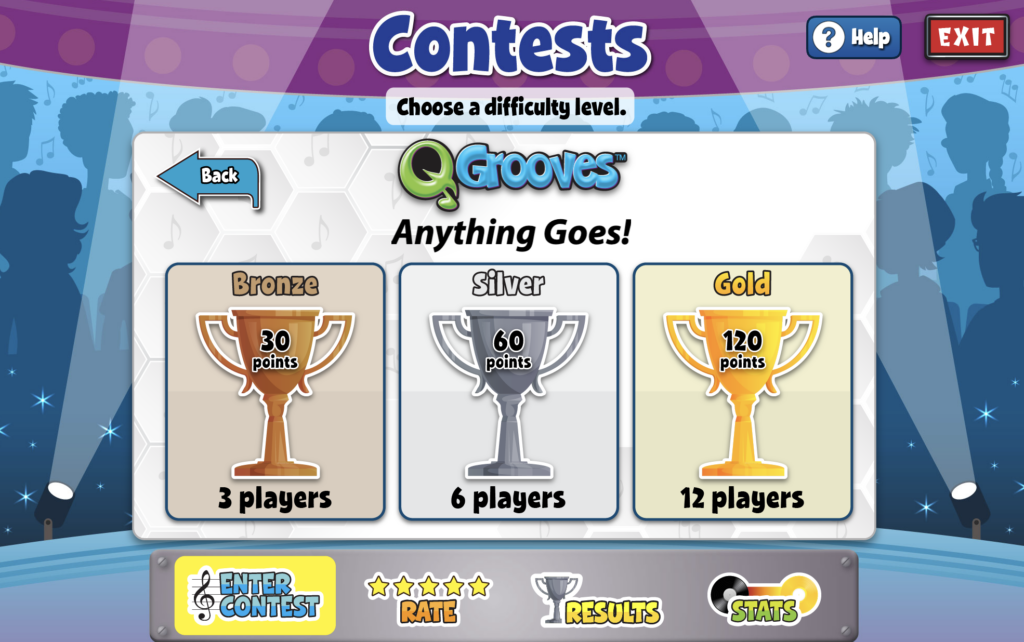
You can choose from three levels of play: Bronze, Silver, and Gold. Bronze allows for three participants, Silver allows for six, and Gold allows for twelve participants. Your competitors can be any student with a QuaverMusic account!
Last, you’ll choose the song you’d like to enter. You will be taken to a pop-up with all your created songs listed. There are three tabs for filtering the songs: Available, Entered, and Unpublished.

Rate #
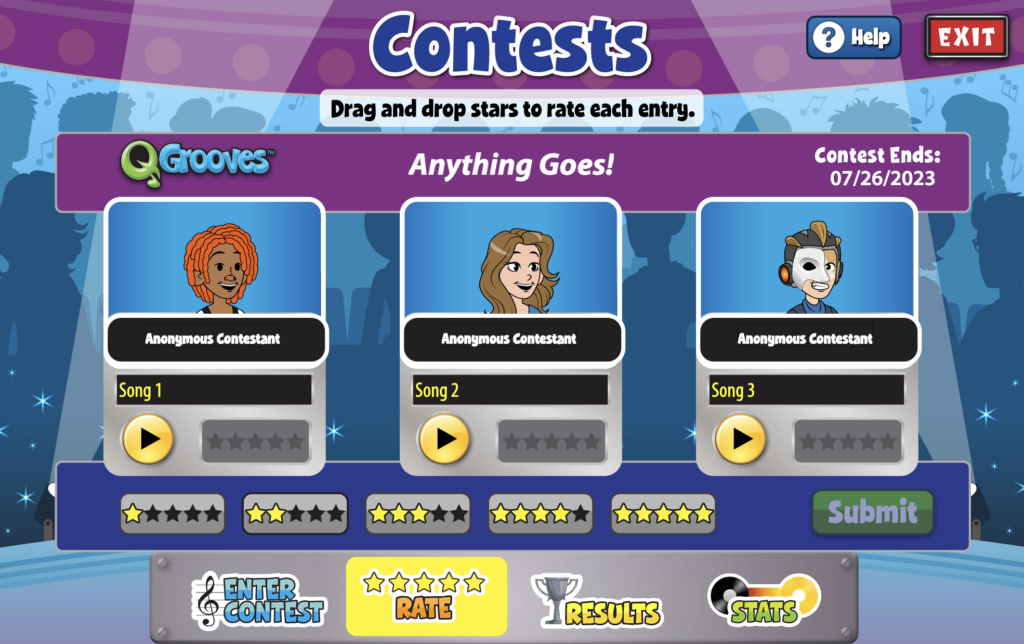
You can rate other contestants’ submissions. Once you’ve dragged and dropped a rating on each contestant (right of each play button), you can select the “Submit” your ratings.
Results #
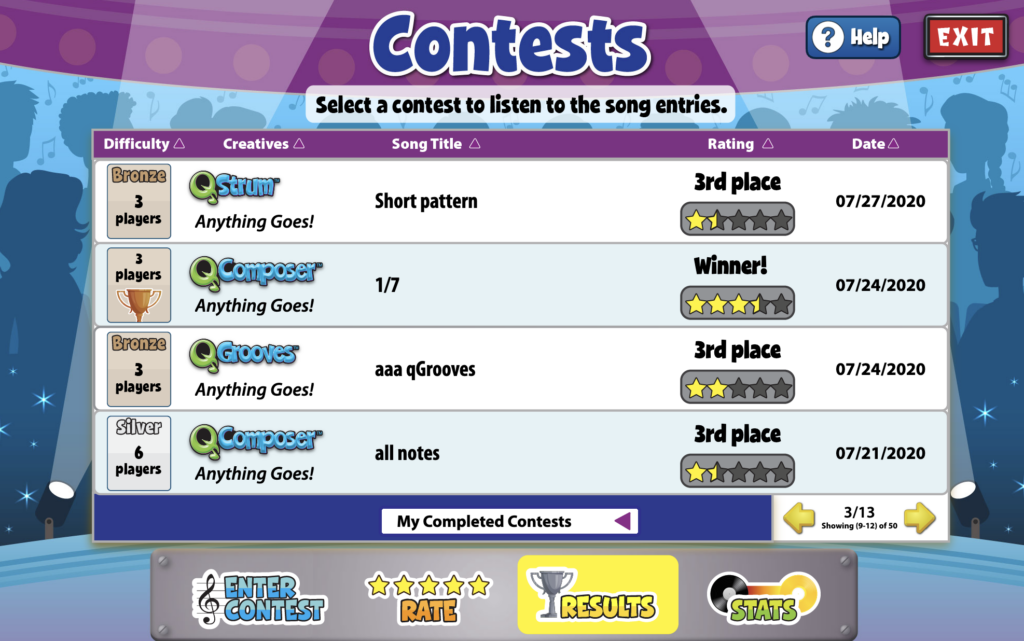
After entering a contest, check the Results to see how your song performed. Click one of your contest rows to view other contestants’ entries you completed. Use the bottom dropdown to filter by completed contests, incomplete contests, or by the type of Creative you entered.
Stats #
Select the Stats icon to view the overall history of all the contests you’ve entered. Click on a song to see a more detailed breakdown.
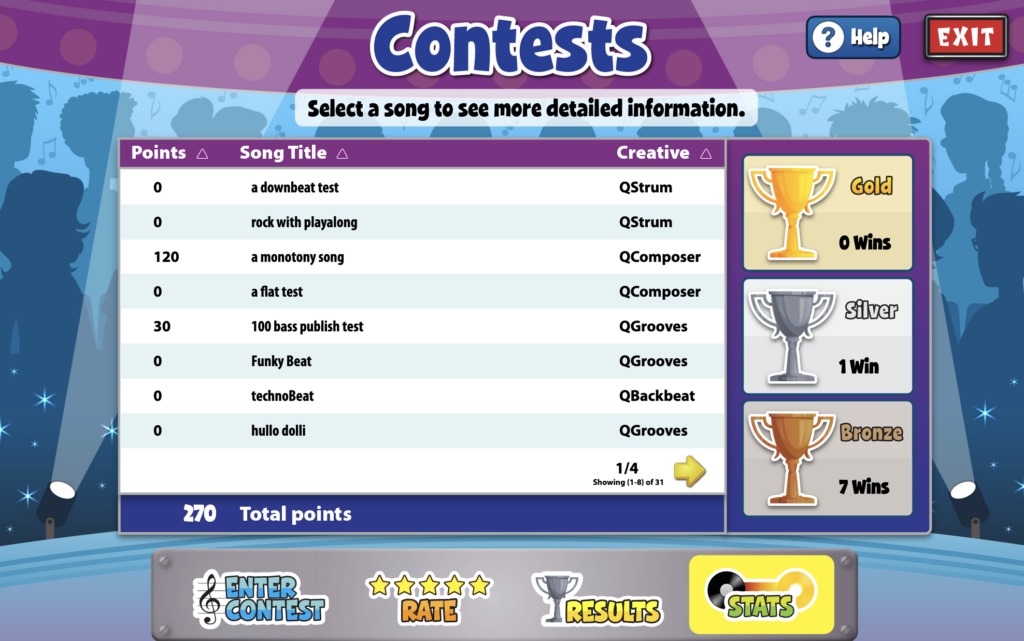
Select a song to see a detailed breakdown of contests. The breakdown will show the number of times you have won a particular contest/trophy. The heat graph (in the image below) represents how many times a song has achieved success in a specific contest. In this case, the song has won one bronze contest, indicated in the ‘Bronze’ box.
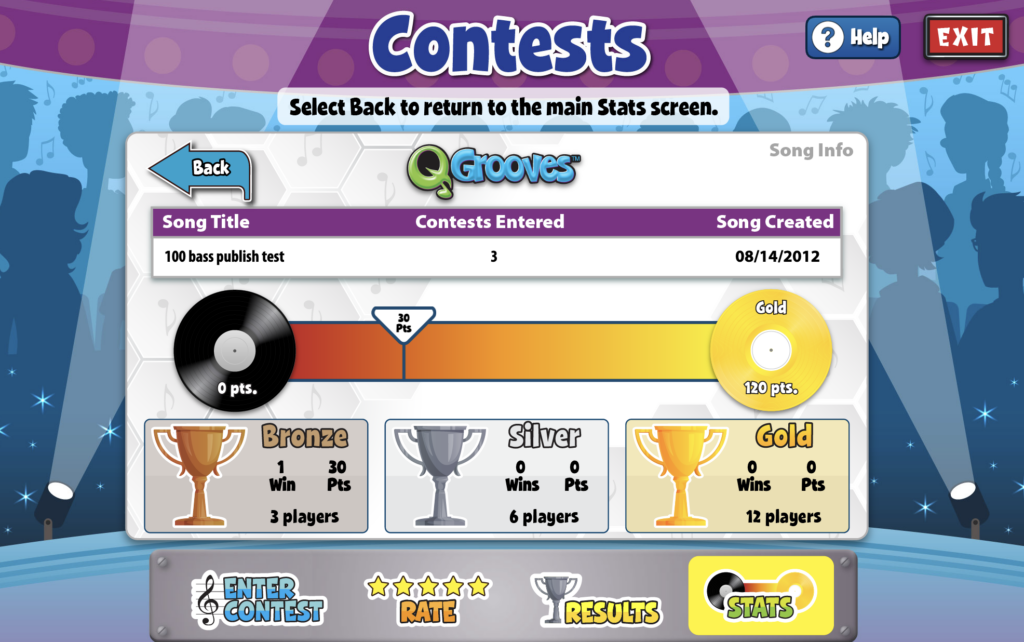
To advance to the next level and achieve a gold record, the song needs to win three more bronze contests to accumulate a total of 120 points. Once the song reaches this milestone, it will move on to the next “challenge,” where even greater opportunities await. After you reach a Gold record, you can progress to a Platinum record with 240 points, and beyond Platinum, you can aim for a Diamond record with 480 points.
So keep striving for success and entering contests to reach that gold record status and unlock new challenges! Best of luck!

I love this site!!!!!!!
I don’t see any songs when I do the contests
Hi Ellie!
If you are not seeing songs to rate in Contests, it is likely that there have not been any recent submissions. Try waiting a little while and refreshing the page. You should see new songs soon.
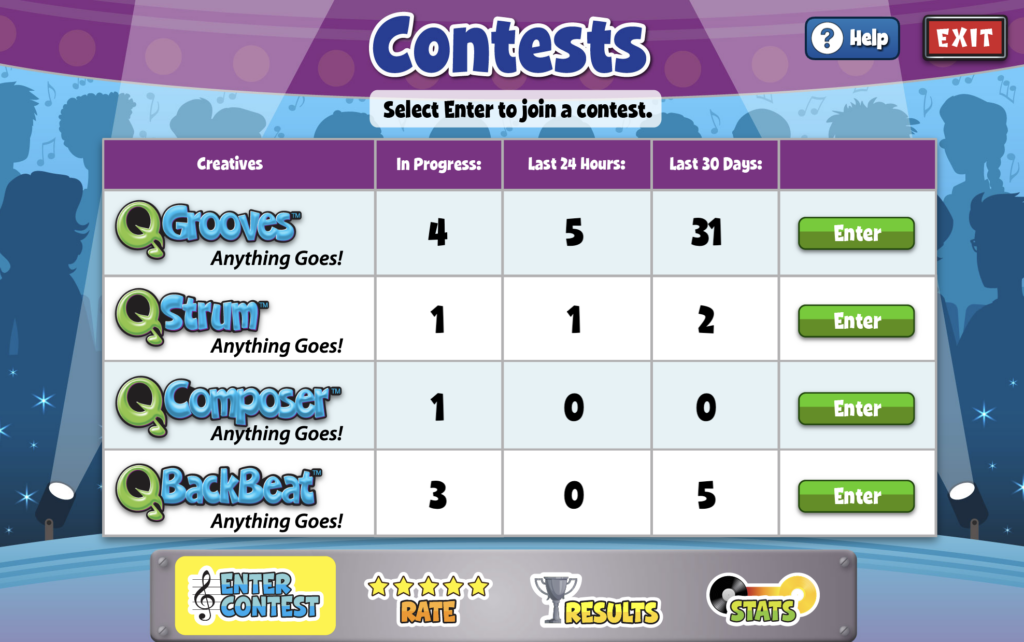
Can I Enter Plus creatives?
Hi Jordan,
Contests are available in these four creatives: QGrooves, QStrum, QComposer, and QBackbeat, so unfortunately, no, you cannot enter Plus creatives.