The Assignments button will be clickable if your teacher has given you or your class an assignment.
If you are enrolled in multiple classes, you will have to select a class before you can see your available assignments.
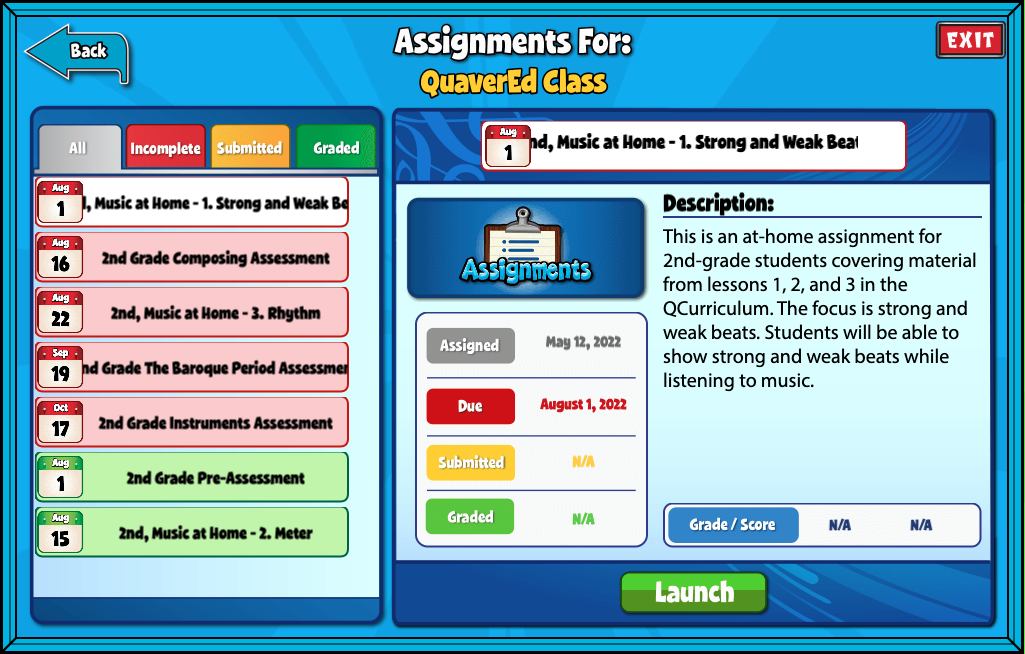
Once in the Assignments section, note the color-coded tabs. These organize your assignments. Click the silver tab to see all assignments, the red tab to see Incomplete assignments, yellow to view Submitted assignments, and green to view Graded assignments.
Complete an Assignment #
Select an Incomplete assignment to begin.
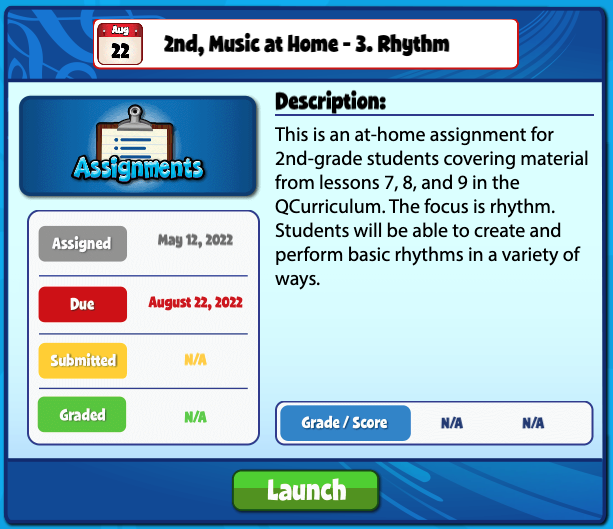
You can find any instructions left by your teacher under the Description section in the middle of the screen.
The date assigned and due date are displayed on the left.
Click on the blue Assignments button above the due date or click the green Launch button to view and complete an assignment.

This did not help as much for me I think if it added more information then I will be clear
Hi Amiyah,
Thank you for the feedback! If there is anything specific that you believe we should add to this page, please let us know! You can also reach out to our customer service team for direct assistance.