
Skip to content
Help Center
  • QuaverEd.com
  • FAQs
  • Site Status
  • Contact Us
Help Center
  • QuaverEd.com
  • FAQs
  • Site Status
  • Contact Us

Help Center

Getting Started

  • Student Dashboard
  • Assignments Overview
  • Toolboxes
  • Avatars
  • Student Interactives
  • QRewards
  • Take a Quiz Button
  • Home
  • Home
  • QuaverHealth•PE Student
  • Getting Started
  • Avatars

Avatars

Design your own custom Quaver character. Here, you can add outfits and fun accessories to your Avatar.
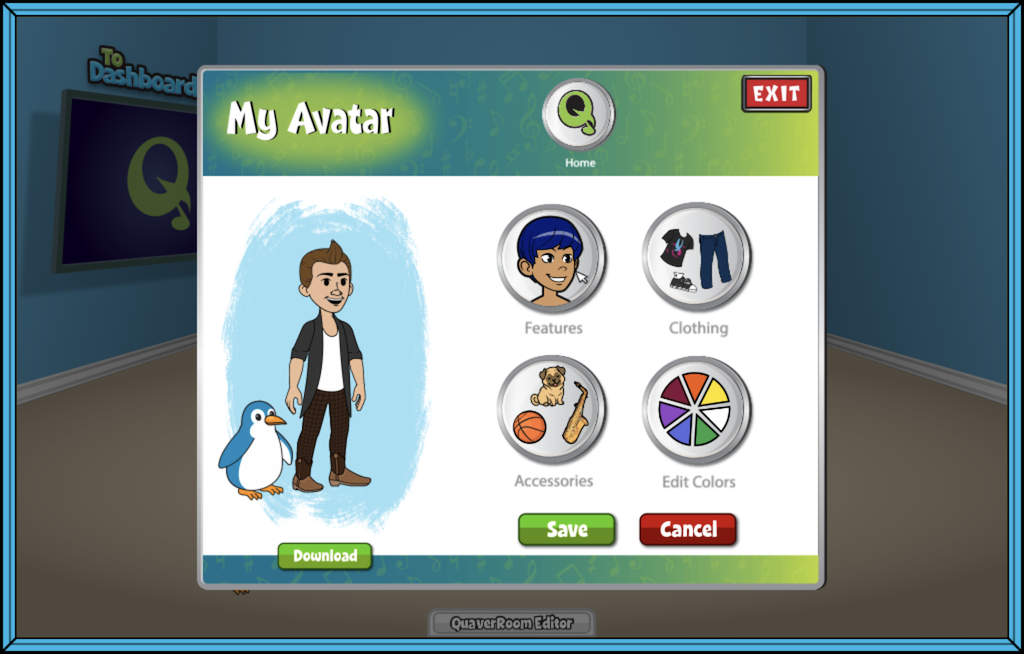
Avatar Editor #

Select your Avatar to open the My Avatar Editor, where you can customize your account’s Avatar.

Select from the following categories; Features, Clothing, Accessories, and Edit Colors.


Purchasing an Avatar Item #

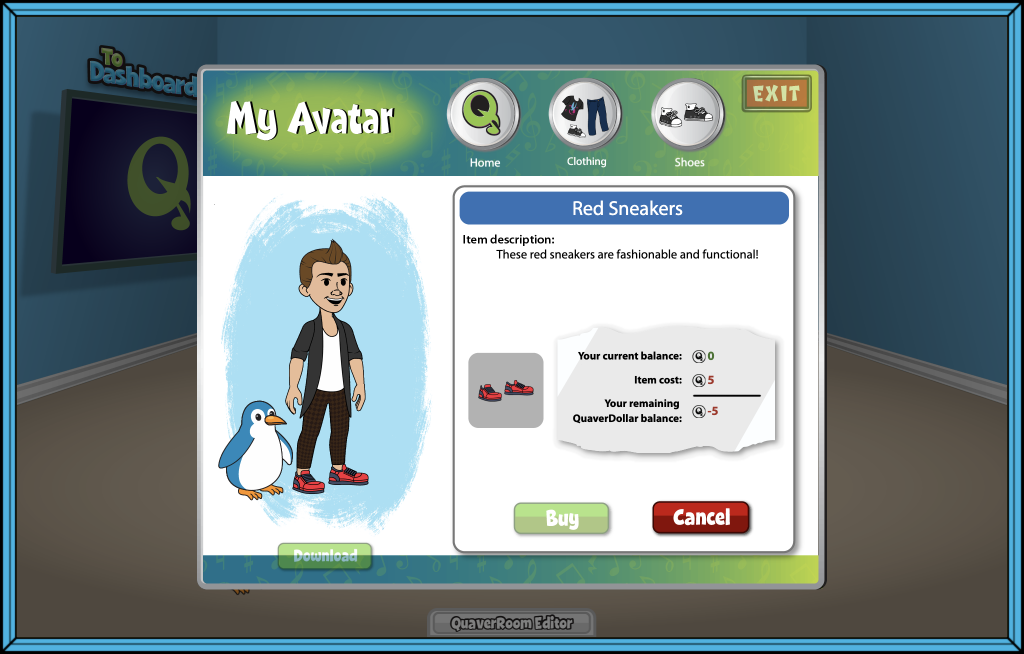
When you are ready, select an item. A window will appear that includes an Item description, a preview of the item on your avatar, the cost of the item, and your QuaverDollar balance.

Select Buy for the item to apply to your Avatar. You will see a “Yippie!” message to confirm your purchase.
When you finish decorating, select Exit to close the Avatar Editor.

Below your Avatar, select the Download button to save a .png file of your Avatar to your device!


Did you find this article helpful?
Need more information? Reach out to us.

How can we help?

Leave a Reply Cancel reply

Your email address will not be published. Required fields are marked *

Table of Contents
  • Avatar Editor
    • Purchasing an Avatar Item
  • QuaverEd.com
  • FAQs
  • Site Status
  • Contact Us
×

We're Here to Help!

We apologize if this page didn't meet your needs. Please provide more details:

Still need help? Contact Us

Copyright © 2026 QuaverEd, Inc.